Description
Build Accessibility Into Your Code — Not After Release
Most developers know accessibility matters.
Far fewer know how to implement it correctly in production.
That gap creates expensive audits, rushed fixes, poor user experiences, and inconsistent code patterns.
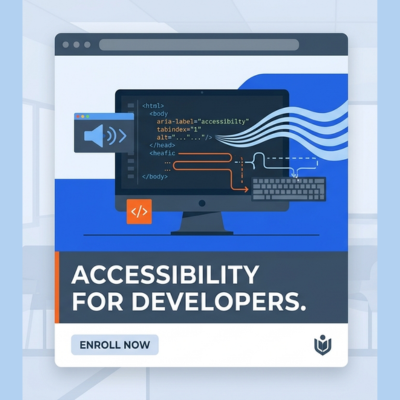
Web Accessibility for Developers is a practical, implementation-focused training program that teaches developers how to build accessible interfaces from the ground up.
You’ll learn how browsers, accessibility APIs, assistive technologies, semantic HTML, ARIA, keyboard interactions, and testing workflows all connect—so you can ship accessible products with confidence.
No fluff.
No theory-only slides.
Real code. Real patterns. Real testing.
Why Developers Need This Skill
Accessibility is no longer optional.
Modern organizations expect engineering teams to build products that work for everyone while meeting legal and quality standards.
Developers who understand accessibility are increasingly valuable because they can:
- Prevent expensive remediation later
- Build higher-quality products
- Improve usability for all users
- Reduce legal and compliance risk
- Strengthen engineering standards
- Lead inclusive product development
What You’ll Learn
By the end of this course, you’ll be able to build accessible interfaces confidently and fix common failures correctly.
Foundations of Accessibility
- How users with disabilities interact with digital products
- Understanding assistive technologies
- Core accessibility principles
- WCAG in real development terms
Semantic HTML Mastery
- Proper landmarks and page structure
- Headings, lists, buttons, links, tables
- Native HTML vs custom widgets
- Why semantics matter
Keyboard Accessibility
- Focus order and tab flow
- Visible focus states
- Skip links
- Keyboard traps
- Interaction models for custom UI
Forms & Validation
- Labels and instructions
- Required fields
- Error messaging
- Inline validation
- Accessible autocomplete patterns
ARIA Done Correctly
- Roles, states, and properties
- When to use ARIA—and when not to
- Live regions
- Naming and descriptions
- Common ARIA mistakes
Components & Dynamic UI
- Modals
- Accordions
- Tabs
- Menus
- Tooltips
- Comboboxes
- Alerts
- Toasts
Screen Reader Testing
- NVDA basics
- VoiceOver basics
- Reading order
- Announcements
- Troubleshooting issues
Modern Front-End Development
- SPA accessibility
- React / Vue / Angular considerations
- State changes and focus management
- Dynamic rendering challenges
Testing & Audit Readiness
- Manual testing workflows
- Automated tools
- Bug triage
- Fix verification
- Responding to audit findings
Compliance Awareness
- WCAG 2.1 / 2.2
- ADA
- European Accessibility Act
- EN 301 549
- Section 508 basics
Structured Curriculum
Module 1: Accessibility Fundamentals
Users, barriers, standards, and business value.
Module 2: How Assistive Technology Works
Browsers, accessibility tree, screen readers.
Module 3: Semantic HTML
Correct structure and native controls.
Module 4: Keyboard Navigation
Focus behavior and interaction models.
Module 5: Accessible Forms
Labels, errors, validation, instructions.
Module 6: ARIA Essentials
Practical ARIA for developers.
Module 7: Components & Widgets
Real UI patterns built correctly.
Module 8: Dynamic Applications
SPA and framework accessibility.
Module 9: Tables, Navigation & Layouts
Complex content structures.
Module 10: Media & Documents
Alternatives and embedded content.
Module 11: Testing Workflows
Manual and automated testing.
Module 12: Compliance & Engineering Process
Scaling accessibility in teams.
What’s Included
Practical Lessons
Hands-on developer training with implementation guidance.
Real Code Examples
Correct vs incorrect patterns.
Exercises & Labs
Practice what you learn immediately.
Quizzes
Knowledge checks with explanations.
Checklists
Developer and QA workflows.
Testing Guides
Keyboard, NVDA, VoiceOver.
Certificate of Completion
Showcase your accessibility skills.

Who This Course Is For
- Front-End Developers
- Full-Stack Developers
- React Developers
- Vue Developers
- Angular Developers
- QA Engineers
- Engineering Leads
- Product Teams
- Freelancers building client websites/apps
This Course Is Not Ideal For
- Non-technical policy-only learners
- People seeking passive theory-only content
- Advanced accessibility specialists needing expert certification prep
Prerequisites
Basic knowledge of:
- HTML
- CSS
- JavaScript
No prior accessibility experience required.
Why Learn With DigitalA11Y University
DigitalA11Y has helped thousands of professionals learn accessibility through trusted guides, audits, tools, and training.
This course brings real consulting and implementation experience into a structured learning path developers can use immediately.
What You’ll Be Able To Do After Completion
- Build accessible UI components confidently
- Fix audit findings correctly
- Test with screen readers
- Improve engineering quality standards
- Reduce accessibility defects before release
- Add in-demand skills to your career profile
- Become the accessibility champion on your team
Accessibility Is a Competitive Developer Skill
Developers who understand accessibility stand out.
They build better products, solve harder problems, and help organizations meet modern standards.
Enroll Today and Start Building Inclusive Products
Prem khan (verified owner) –
This course is a must for every full-stack developer. Accessibility cannot be handled effectively without understanding accessibility APIs and knowing how to test with assistive technologies. The course provides practical insights that help developers truly understand how accessible experiences are built and validated.
Raghavendra Satish Peri (verified owner) –
A practical and well-structured course for developers looking to build more accessible websites and applications. It explains accessibility concepts clearly and helps developers understand how to identify and fix common accessibility issues. A great starting point for developers who want to make accessibility part of their development process.
Falak Bhutani (verified owner) –
A comprehensive course that connects accessibility principles directly to development practices. The deeper coverage of semantic HTML, ARIA, keyboard access, forms, dynamic content, custom components, and modern frameworks makes it particularly useful for developers. I also liked that testing, bug reporting, and CI/CD integration are covered, making accessibility feel like part of the development lifecycle rather than a final check.