Description
Great Design Includes Everyone
Every day, designers make decisions that affect whether people can successfully use digital products.
The colors you choose.
The contrast between text and background.
The clarity of button labels.
How focus moves through a page.
Whether forms are easy to complete.
How a modal opens and closes.
These are not just design choices—they are accessibility decisions.
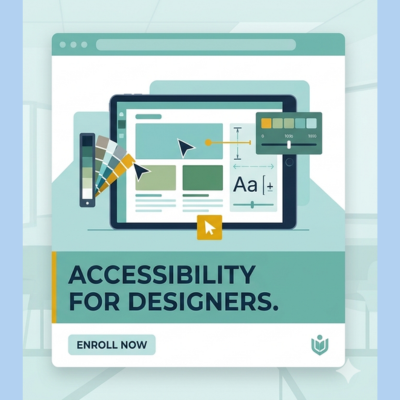
Web Accessibility for Designers is built for UX designers, UI designers, product designers, visual designers, freelancers, and teams who want to stop treating accessibility as an afterthought and start building it into the design process from the first sketch.
No coding required.
No confusing jargon.
Just practical skills you can apply immediately.


Why This Course Matters
1.3 Billion
People worldwide live with a disability.
96%+
Homepages still have detectable accessibility issues.
Huge Business Impact
Accessible design improves usability, conversions, retention, SEO, and customer trust.
Accessibility is no longer optional—it is now a design standard.
What You’ll Learn
By the end of this course, you’ll know how to design experiences that are usable, compliant, and inclusive.
Accessibility Foundations
- Understand disabilities and how people use the web
- Learn the POUR principles in practical design terms
- Recognize barriers caused by common design patterns
WCAG for Designers
- Apply WCAG 2.1 and 2.2 Level AA in everyday work
- Understand contrast, focus, spacing, headings, forms, labels, targets, and navigation
Color & Visual Design
- Design accessible color systems
- Test contrast ratios confidently
- Design beyond color-only communication
- Understand color blindness considerations
Structure & Navigation
- Create clear heading hierarchies
- Design landmarks and page structure
- Improve wayfinding and readability
Keyboard & Focus Design
- Design visible focus indicators
- Ensure keyboard-friendly interactions
- Create accessible navigation patterns
Forms & Inputs
- Labels, instructions, hints, and errors
- Recovery flows and validation states
- Better conversion-focused accessible forms
Motion & Interaction
- Safe animation principles
- Reduced motion preferences
- Focus management for modals and overlays
Content Design
- Plain language principles
- Link naming best practices
- Alt text, captions, transcripts
Design Systems & Handoff
- Accessibility tokens
- Component documentation
- Keyboard interaction notes
- Better developer collaboration
Testing Your Designs
- Keyboard walkthroughs
- Basic screen reader checks
- Automated testing tools
- Accessibility review workflows
Legal & Business Context
- ADA
- European Accessibility Act
- Equality Act
- VPAT basics
- Accessibility statements
Full Curriculum – 12 Structured Modules
Module 1: Foundations of Accessibility
Understanding inclusion, barriers, and core principles.
Module 2: Understanding Disabilities
Visual, auditory, motor, cognitive, and situational needs.
Module 3: Color & Contrast
Ratios, palettes, simulation tools, and communication patterns.
Module 4: Semantic Structure
Headings, navigation hierarchy, and readable layouts.
Module 5: Focus & Keyboard Navigation
Designing for keyboard and alternative input users.
Module 6: Spacing, Zoom & Reflow
Low-vision friendly responsive layouts.
Module 7: Forms & Error Handling
Labels, validation, messaging, and recovery flows.
Module 8: Motion & Focus Management
Animation safety and overlays.
Module 9: Content Design
Plain language, media alternatives, naming clarity.
Module 10: Design Systems & Handoff
Scalable accessibility across teams.
Module 11: Testing & Auditing
Keyboard, screen readers, and automated tools.
Module 12: Compliance & Culture
Regulations, policies, governance, and business case.
What’s Included
60 Practical Lessons
Structured, easy-to-follow training.
Real Exercises
Hands-on tasks based on real products.
Module Quizzes
Check understanding and reinforce learning.
Checklists & Templates
Reusable tools for daily design work.
WCAG Design Guides
Understand standards in designer language.
Testing Guides
Keyboard walkthroughs, screen reader basics, and review workflows.
Certificate of Completion
Showcase your learning internally, on LinkedIn, or with clients.


This Course Is Perfect For
- UX Designers
- UI Designers
- Product Designers
- Visual Designers
- Freelancers
- Design Students
- Product Managers
- Team Leads
- Agencies building client websites or apps
This Course Is Not Ideal For
- Developers seeking code-level ARIA implementation
- Advanced accessibility specialists seeking expert certification prep
- Auditors needing highly technical testing-only methodology
Prerequisites
None.
You do not need prior accessibility knowledge.
Experience with tools like Figma, Sketch, Adobe XD, or similar is helpful—but not required.
Everything is explained in clear design language without needing HTML, CSS, or JavaScript.
Why Learn With DigitalA11Y University
DigitalA11Y has educated thousands of professionals worldwide through trusted accessibility resources, guides, and training.
This course brings that expertise into a structured learning experience built specifically for designers.
What You’ll Be Able To Do After Completion
- Design more inclusive digital products
- Reduce accessibility issues before development starts
- Collaborate better with developers and QA teams
- Improve usability for everyone
- Add accessibility expertise to your CV or portfolio
- Become a stronger, more future-ready designer
Start Designing for Everyone
Accessibility is one of the most valuable modern design skills.
Build products that work better, reach more people, and stand out professionally.
Enroll Today
Raghavendra Satish Peri (verified owner) –
### Review
A great course for designers who want to understand accessibility from the very beginning of the design process. It covers practical accessibility principles that help designers create more inclusive and usable digital experiences. A valuable course for anyone looking to bring accessibility into their everyday design workflow.
Falak Bhutani (verified owner) –
What I found most useful about this course is how it connects accessibility with everyday design decisions. The sections on colour, typography, focus states, forms, motion, and design-system handoff show how small design choices can significantly affect usability. It’s a good course for designers who want to make accessibility part of their design process rather than treat it as a checklist at the end.